Identity, Agent and model are separate choices
Dingding and Cheese can both use Codex CLI while keeping different responsibilities and filesystem settings. You can also choose different available products. A model is selected within that product’s supported catalog; it is not another teammate.
Change a teammate’s configuration before the next request is claimed. An existing Run keeps its frozen configuration; changing the model does not retroactively switch an execution already underway. Read the model shown in the Run where the Agent can report it.
How to use it
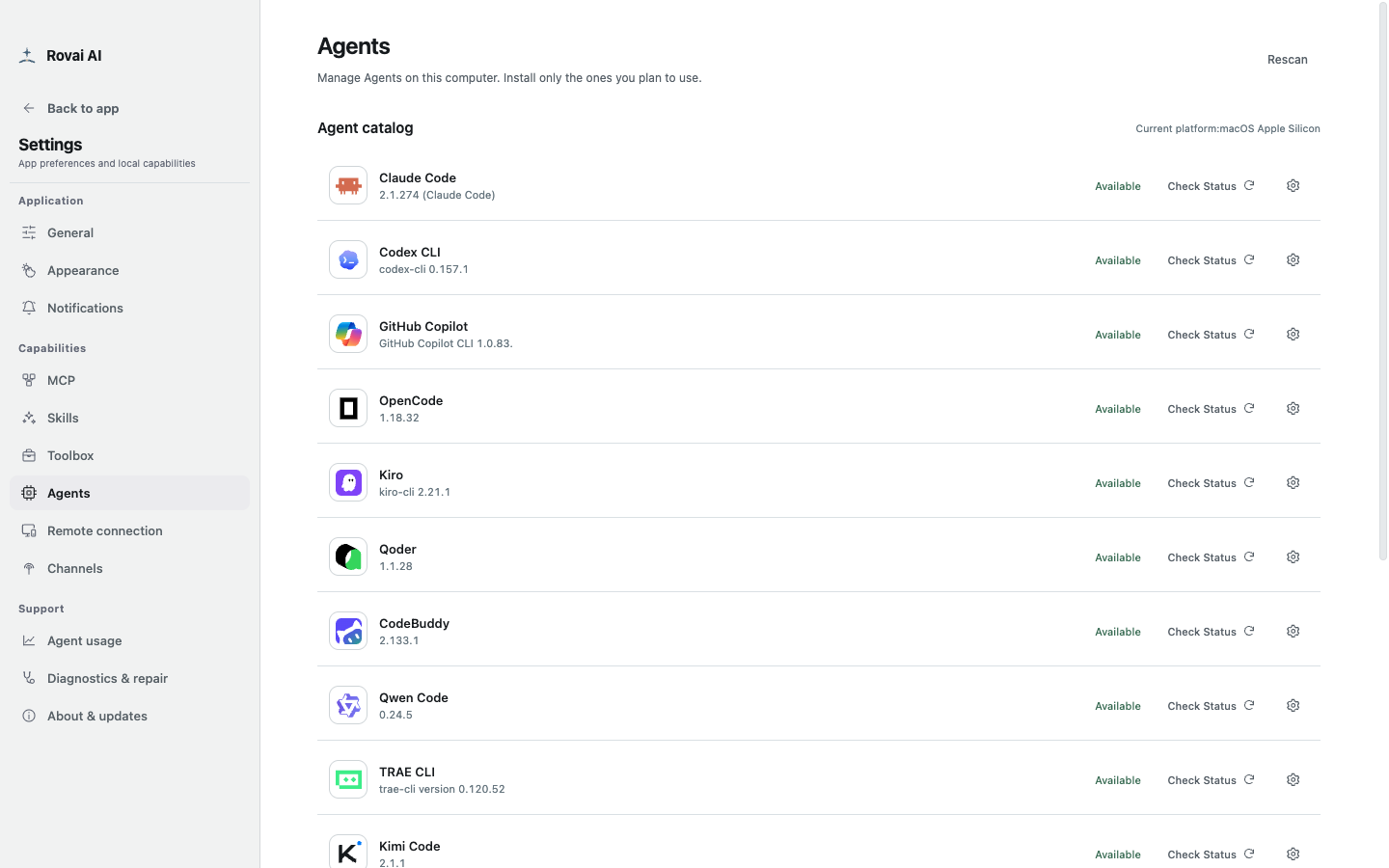
- Install and sign in to the coding Agent using its own instructions, then open Settings → Agents to check its availability.
- Open Teammates, select a teammate, and scroll to their run configuration.
- Choose an Agent and model. “Default” follows the Agent’s own model choice; review any permission or filesystem options that Agent exposes.
- Save run configuration before returning to a conversation.
A teammate’s Agent configuration
This section controls future runs for this teammate and has its own Save action.
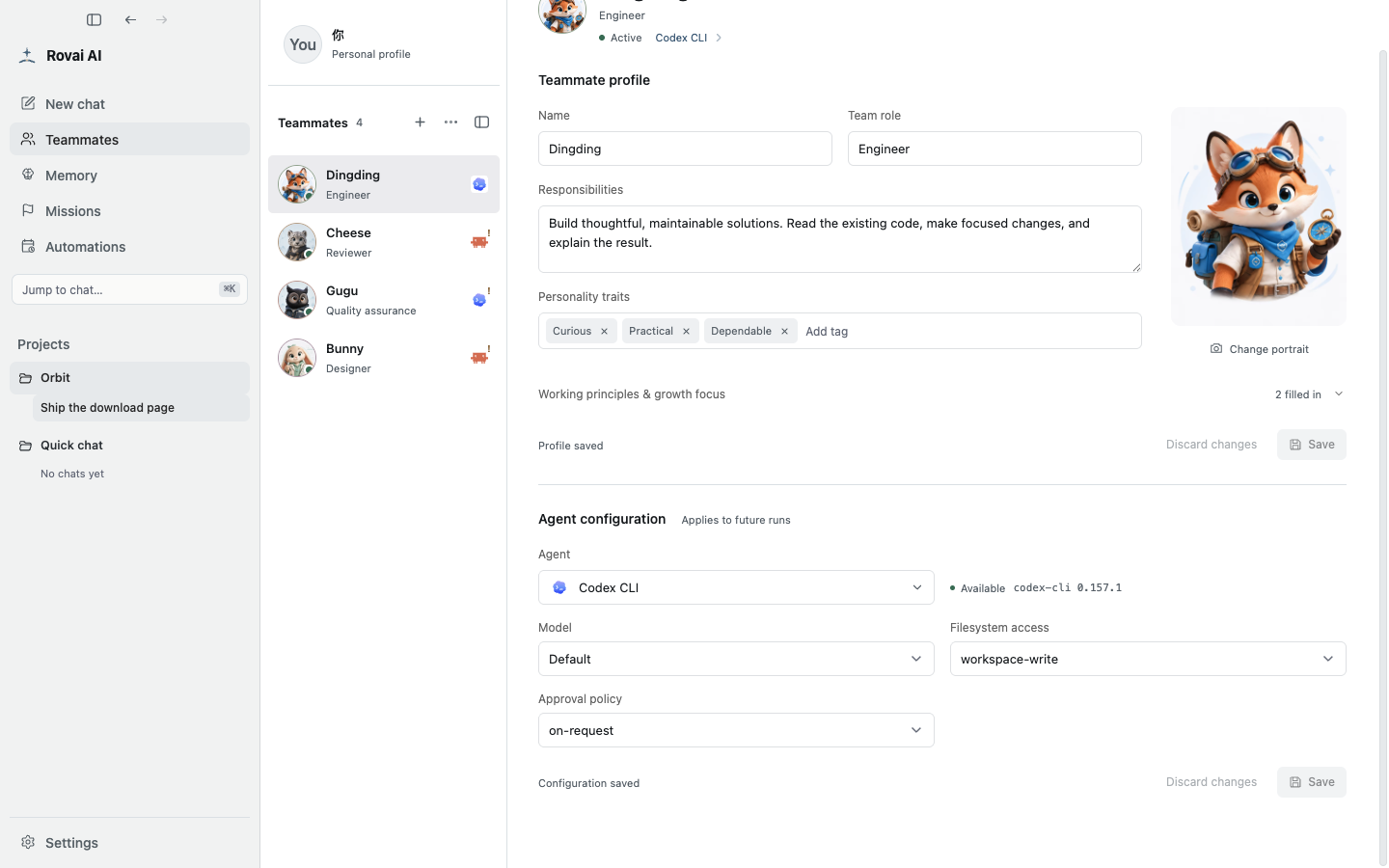
Configuration controls
- Agent
- Choose the installed coding product this teammate calls. Its status reports whether the current host can use this configuration.
- Model
- Default follows the Agent’s own choice. Select an explicit model only when it appears in the available catalog and you want to pin this teammate to it.
- Model parameters
- Options such as reasoning effort appear only when the chosen Agent and model support them. An unavailable option cannot be forced by a profile field.
- Filesystem access
- Sets the Agent’s file access scope for runs, such as read-only or workspace-write when offered. Match it to the intended task.
- Approval policy
- Controls when the underlying Agent asks for decisions. The available choices come from that Agent, and actual requests still need individual review.
Understand the status
- Not installed means the product was not found on this host. Authentication required means its own sign-in is unfinished.
- Available means this configuration passed current checks. If a saved model or parameter later becomes invalid, reselect it and save again.
- Changing a teammate’s configuration applies to future runs; use the execution record to understand earlier runs.