How to use it
- Open the current conversation details and its teammate list. Use Invite to search and select people to add.
- Open a teammate’s row menu to inspect model information, set the lead, or remove the person from this conversation.
- Before removal, read the confirmation preview: it lists running work, tasks, or queued deliveries that may be affected.
The conversation team
This panel changes who participates in this conversation. It does not edit the person’s lasting profile.
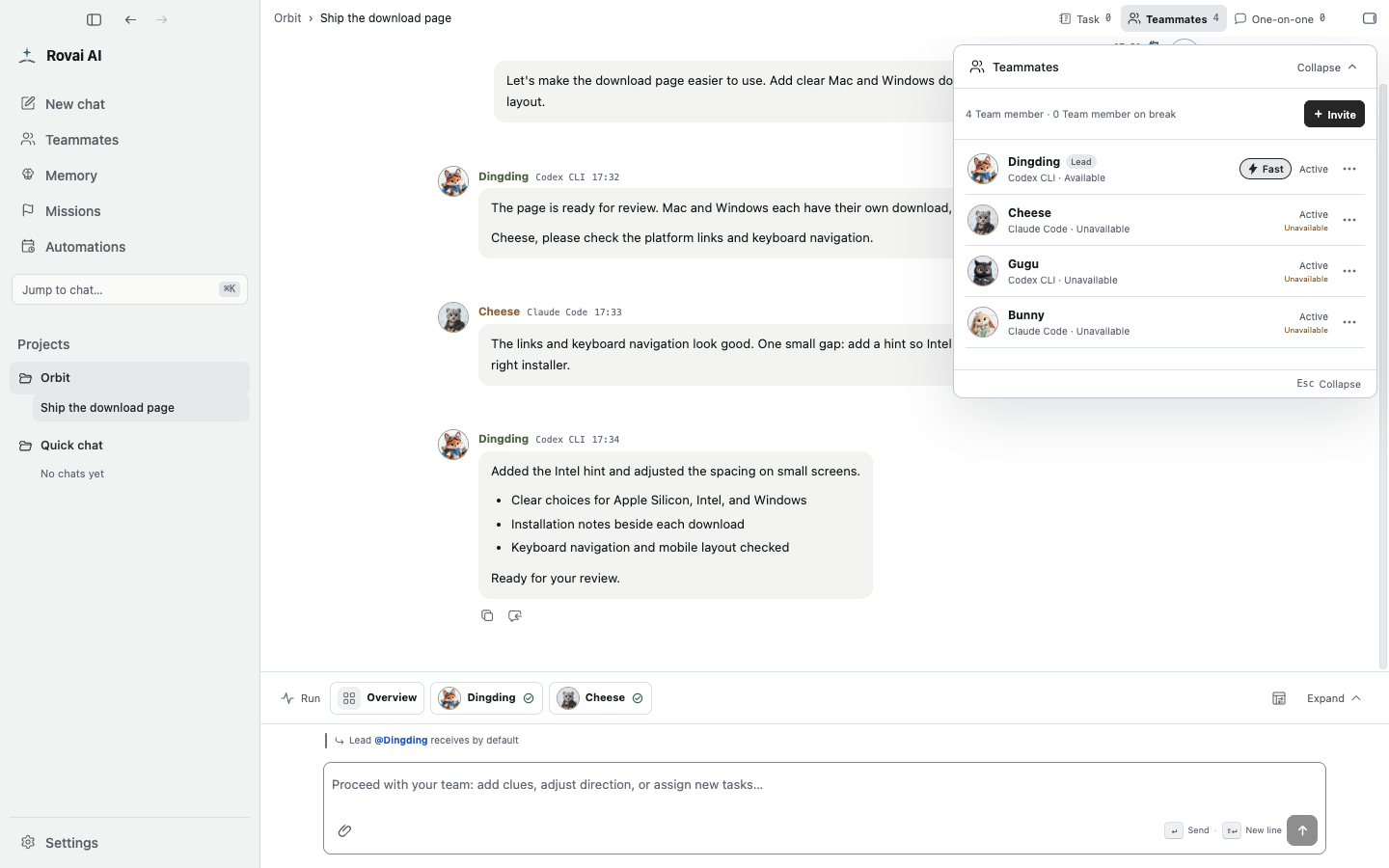
Actions in the team panel
- Invite
- Search the roster and add a teammate to this conversation so they can receive future work here.
- Set lead
- Changes the default recipient for public messages without an explicit @ mention.
- View model
- Shows the teammate’s current Agent/model information before you assign work.
- Remove
- Read the confirmation preview: active runs, tasks and queued deliveries may be affected. Keep at least one teammate and choose a new lead before removing the old lead.
Roster versus conversation
A teammate in the global roster can appear in many conversations. Editing a profile changes that lasting identity; inviting or removing from one conversation changes only its participant list.
Before removing someone, settle their pending work or decide who will take over. Then confirm the visible preview rather than assuming the operation only hides an avatar.