How to use it
- Open Settings → MCP and choose Add configuration or Import from this computer.
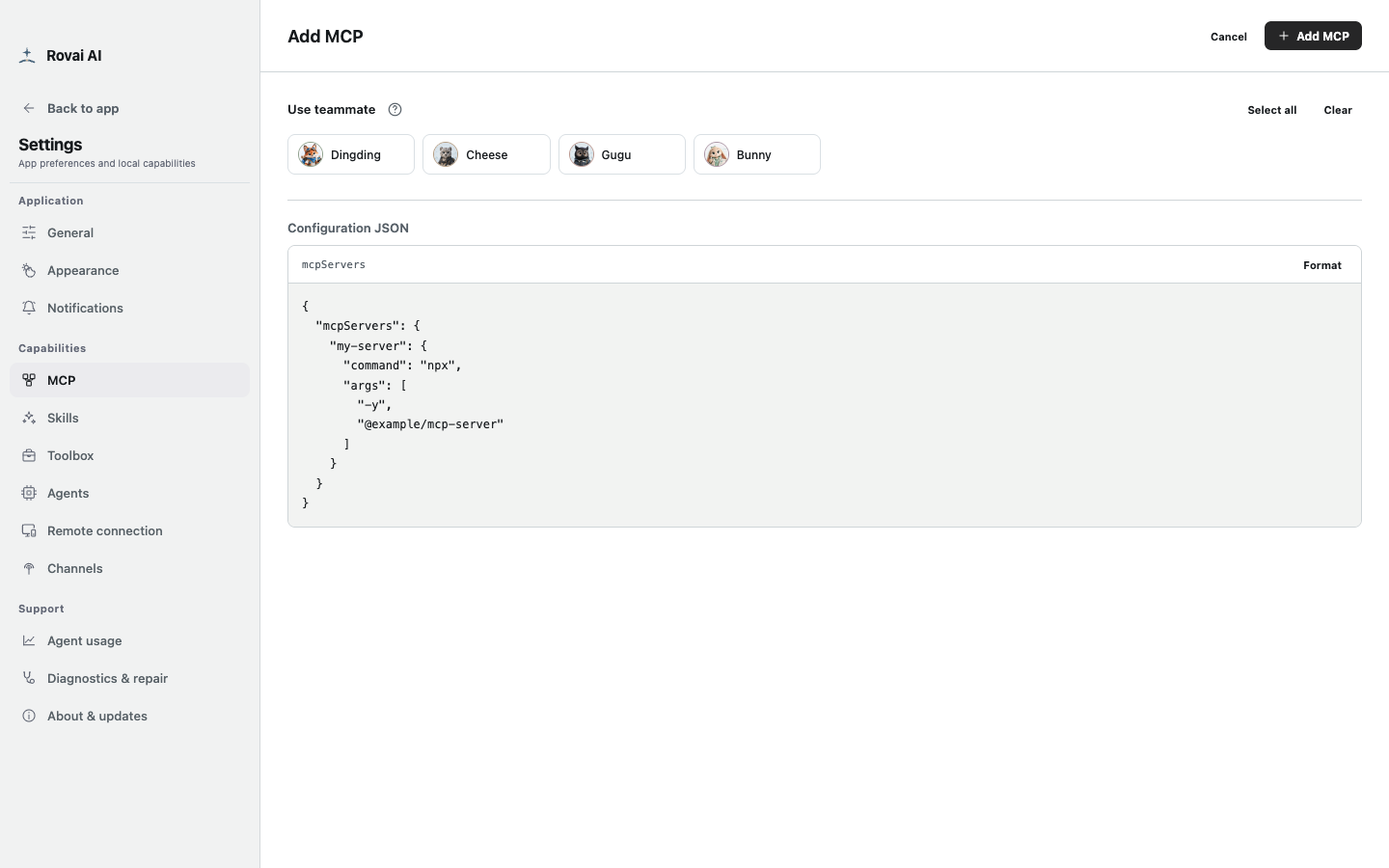
- For a new server, edit its JSON configuration, check the command or endpoint and required credentials, then select the teammates who may use it and save.
- Use a small read-only lookup in a conversation to verify the Agent can actually use the tool.
MCP configuration editor
Paste or edit the server JSON, then choose which teammates may receive this capability.
Before saving a server
- Configuration JSON
- Check the server name, launch command or endpoint and required environment values against the server’s own instructions.
- Teammate assignment
- Choose the teammates who should be able to use the server. A server in the list is not automatically assigned to everyone.
- Import
- Review imported settings before saving. Another app’s config may rely on paths or credentials that are not valid for this Agent.
- Credentials
- Use the server’s required credential mechanism and keep real secrets out of messages and screenshots.
Verify with a small tool call
Ask the assigned teammate for a safe read-only lookup. Open the Run panel and find the actual MCP tool call and result.
If it fails, check the server process or endpoint, credential availability, teammate assignment and Agent support. “Configured” describes intent; the run proves whether the tool was used.