How to use it
- In the current conversation details, open One-on-one chat and choose a teammate.
- Write the question or attach a file, then send. You can switch to another teammate from the same panel.
- If you end the chat, read the confirmation carefully; the visible transcript is removed and a later chat starts blank.
How public and one-on-one sessions relate
Project / workspaceShared file context
ConversationTeam and lead
Public team sessionPublic transcript · deliveries · runs
One-on-one · teammate APrivate transcript · draft · queue · run
One-on-one · teammate BOwn private transcript and queue
One conversation, separate message streams
A one-on-one chat lives inside the current conversation and uses its project/workspace. The public transcript remains the place for team discussion.
Each teammate has a separate private transcript, draft, FIFO queue and Agent run. Private text and attachments do not appear on the public timeline. A private queue blocks only that teammate’s private session, not other one-on-one chats or public work.
Some public context may be supplied to the private Agent as context. The diagram describes visible transcripts and work queues, not an absolute knowledge barrier.
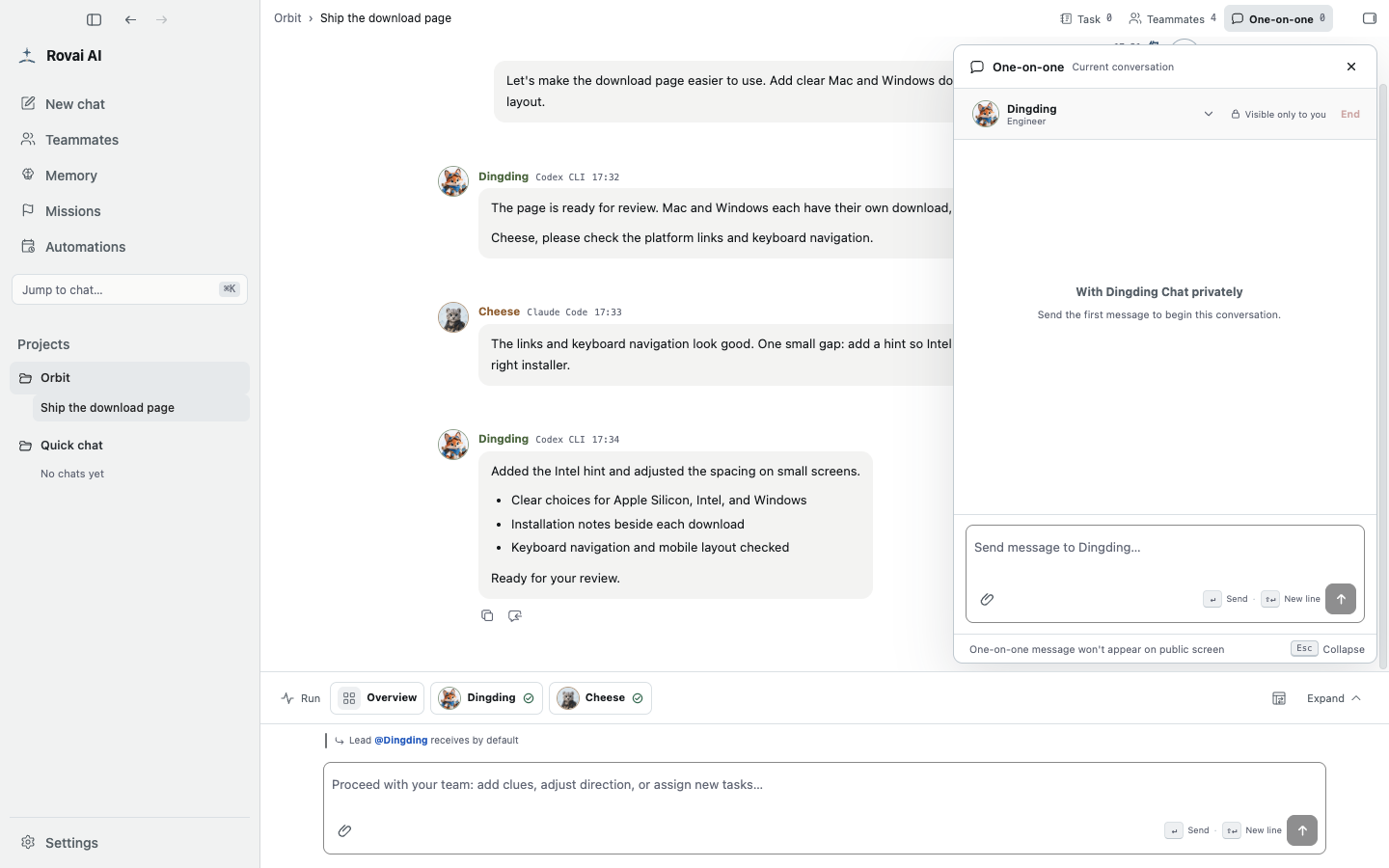
The one-on-one panel
Choose the target teammate at the top, write in the private composer and check the “visible only to you” indicator before sending.
Ending or sharing a conclusion
- Switching the target opens that teammate’s own private thread. A message queued for Dingding does not become a message for Cheese.
- Ending a one-on-one removes its visible transcript; a later chat with the same teammate starts blank. Read the confirmation before using End.
- If a conclusion should affect the whole team, copy its substance into the public conversation yourself.