Start from the request you sent
In the Orbit conversation, the implementation request, review request and contrast follow-up create distinct attempts. Select the relevant teammate and request in Run; do not inspect a previous successful Run and assume it covers the latest message.
A received message can still be waiting for delivery or execution conditions. A Run exists when work has actually been claimed. Its visible queued, running, waiting or terminal state answers a narrower question than the overall project status.
Read the state before intervening
- Not started
- Read the message-processing indicator and queue. The teammate may be busy, unavailable, or waiting for a previous execution to be safely cleaned up. Inspect the configuration and reported reason before resending.
- Running
- Read observed narration and tool steps. A long command or a quiet model interval can have no new output. Elapsed time is not a completion estimate.
- Waiting for approval
- Open the approval request and inspect its target and native choices. Resolve that request, then check whether the execution actually continues.
- Waiting for input
- Read the question or missing requirement, then provide the requested information in the relevant conversation. Additional permission is not a substitute for a missing product decision.
- Failed or interrupted
- Read the last successful step and the error. Inspect files before starting a successor request; some writes may already have happened.
- Completed
- Read the final result, changed files and stated limitations. Completion of a process does not certify the content or mark every Task and Mission complete.
Inspect the implementation and review
- Open Run and select Dingding’s implementation request. Expand observed steps when you need the command or result.
- Read the final message and open its Files Changed card.
- Select Cheese’s review request separately. Compare the concrete finding with the relevant file.
- After a follow-up, inspect the new Run and refreshed files rather than replacing the old result in your mental model.
An actual running request
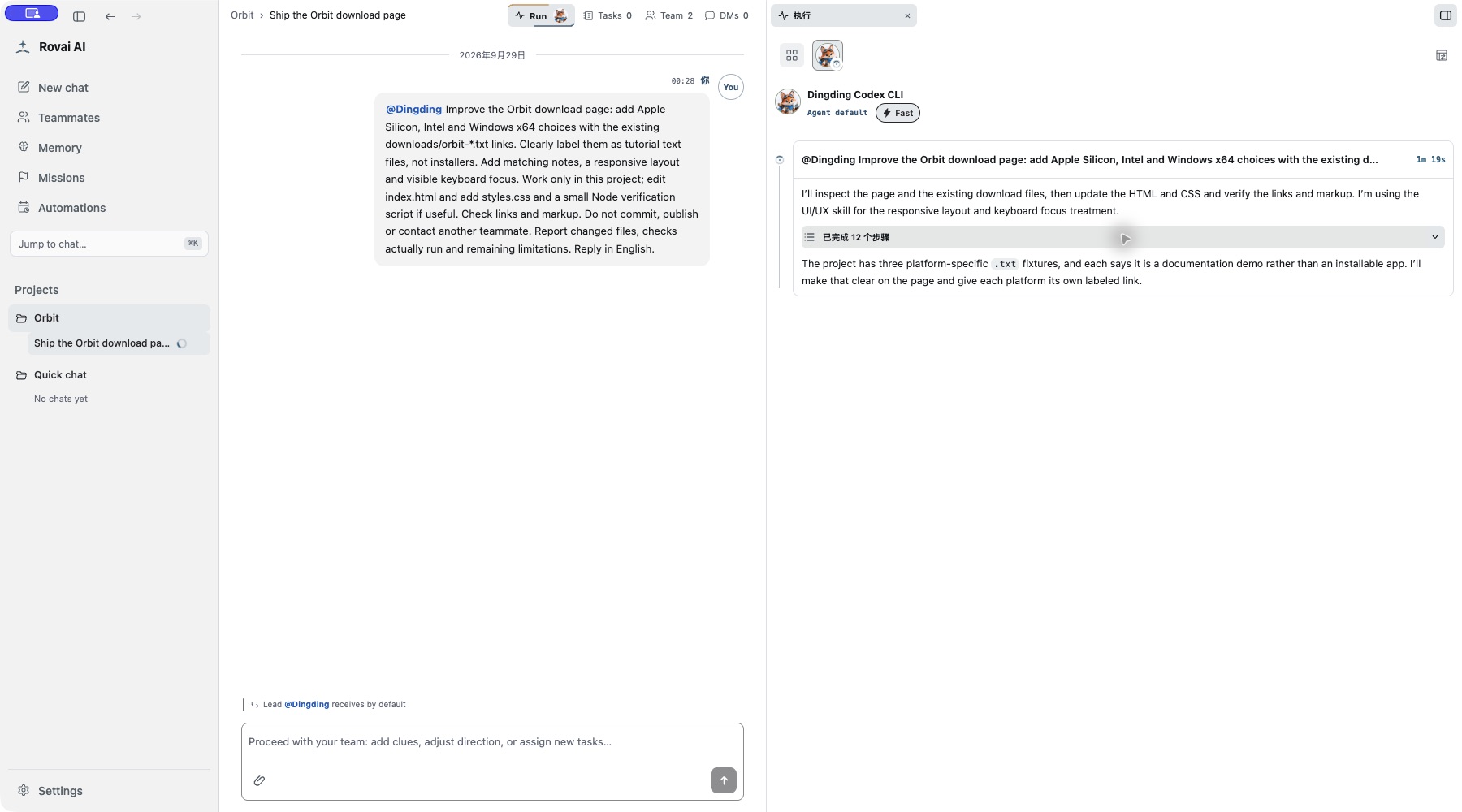
Three panel positions
These captures show the same real contrast repair. Choose a position for reading; it does not change the execution or its permissions. Expand a view to compare.
Pin to right
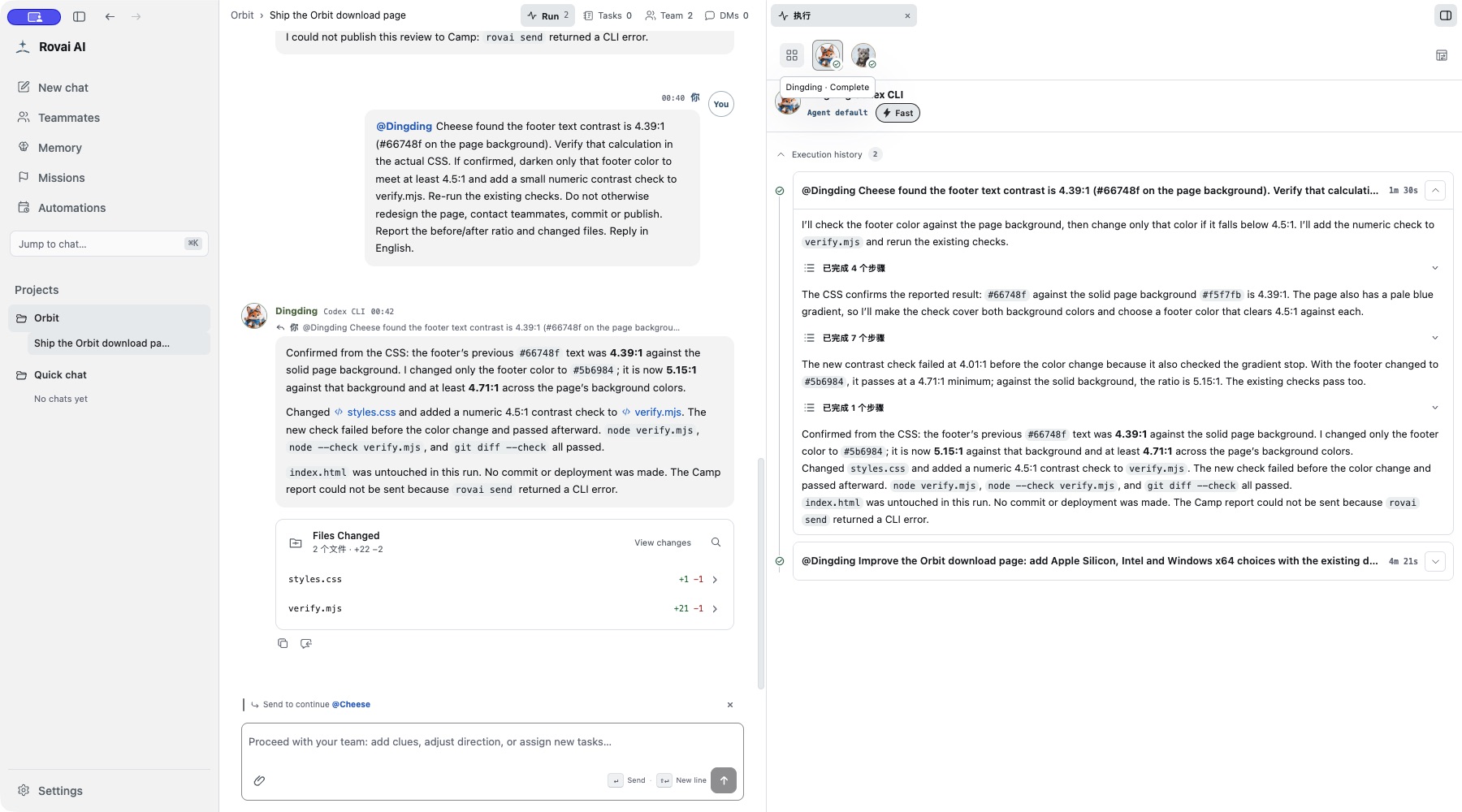
Floating layer
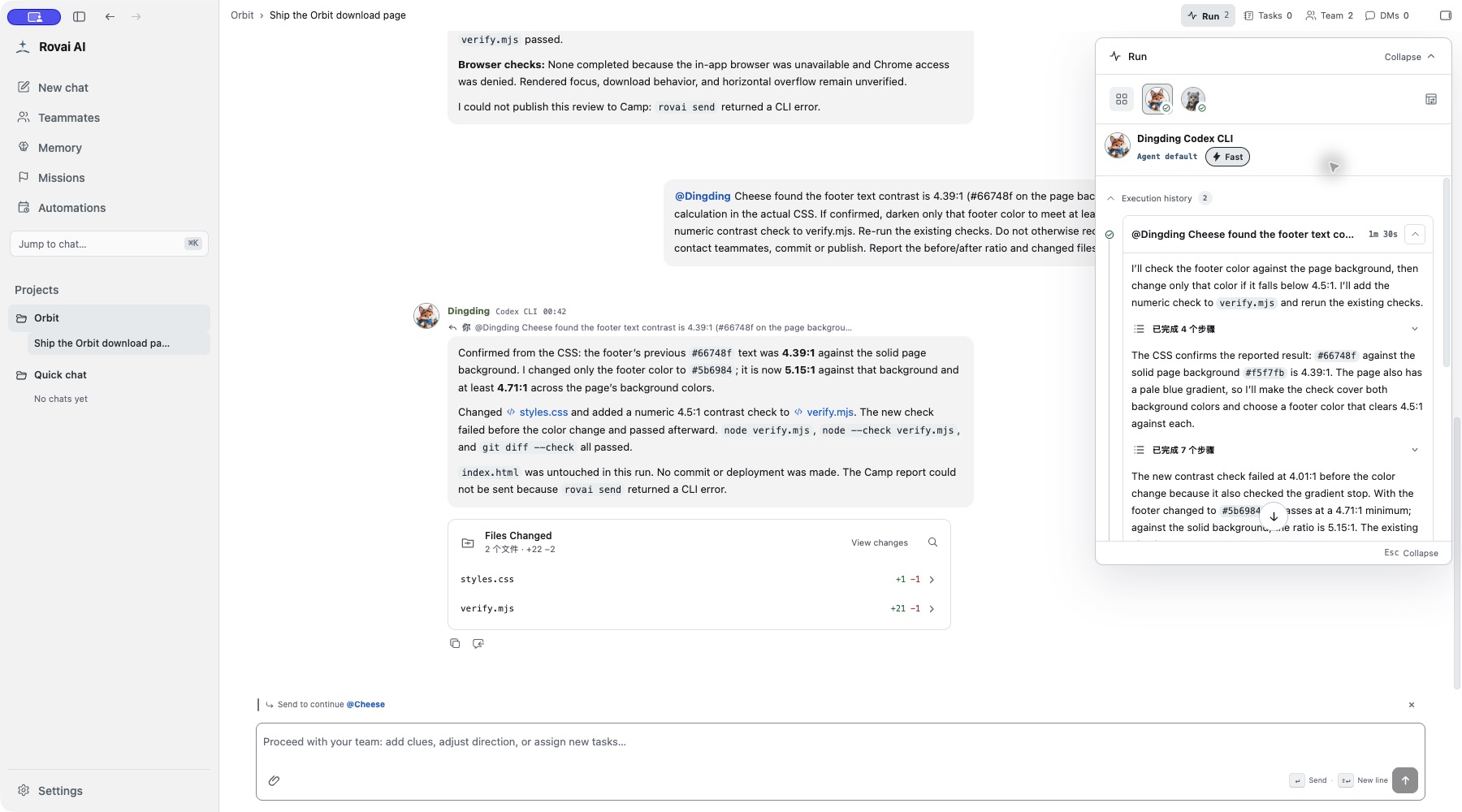
Bottom
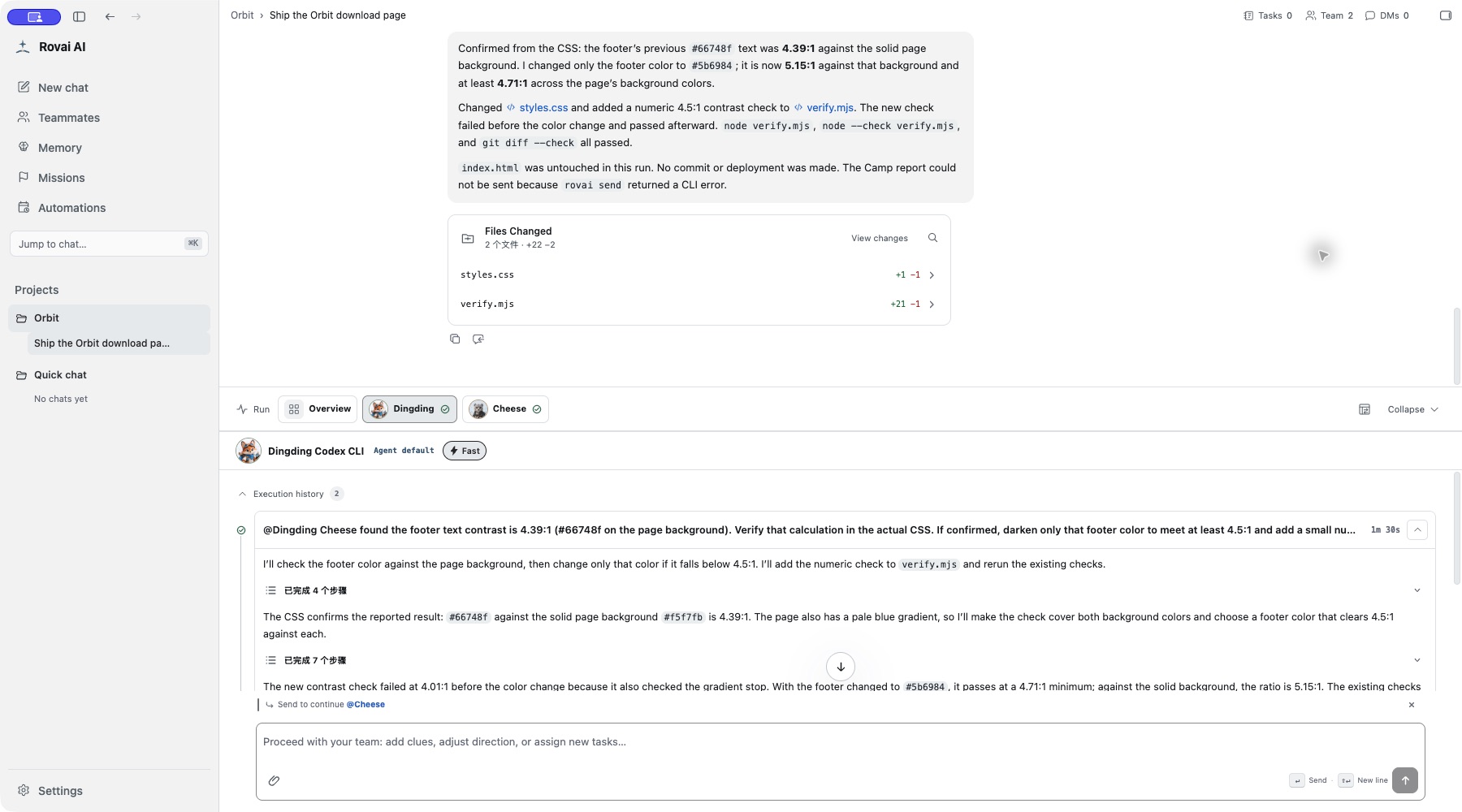
Read the execution record
- Teammate selector
- Switch between the overview and a teammate. Each card belongs to a particular run; do not mix one teammate’s steps with another’s reply.
- Run card
- Read its state, title and duration. Expand it to see the tool steps and their results.
- Step detail
- A command, file read or tool result explains what happened at that step. A green step does not by itself complete the entire run.
- Origin link
- A waiting or queued item can point back to the message that caused it. Use that link before changing or withdrawing work.