Inspect the actual Orbit delivery
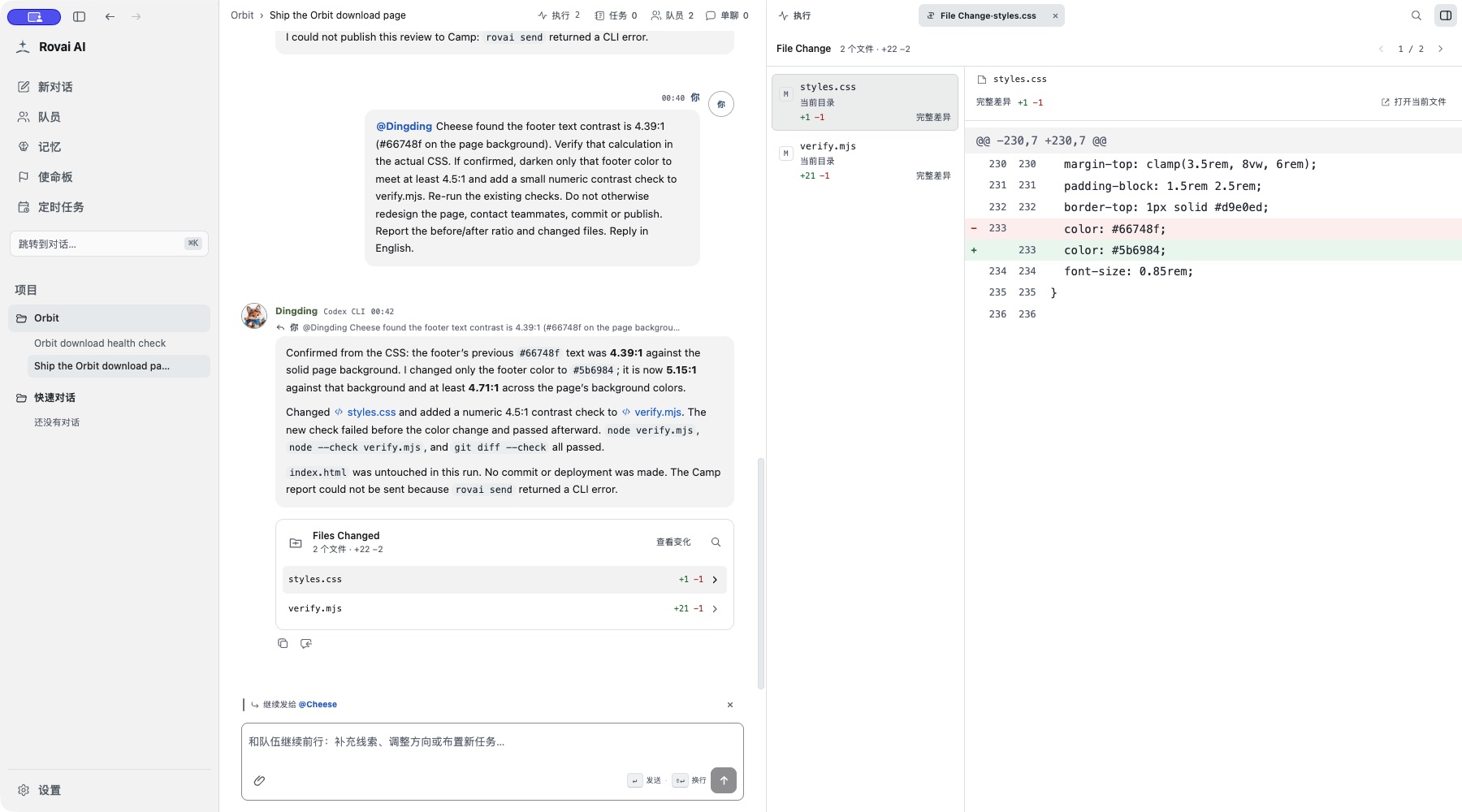
The implementation produces index.html, styles.css and verify.mjs. Open the reply’s Files Changed card, select a file and compare the actual removed and added lines. A file-reading step is not evidence that a file changed.
Open the page’s file link to inspect the saved content. Use the system/browser action when you need rendered HTML, and use the source view for markup. File preview, per-Run changes and Mission cumulative changes answer different questions.
If work continues while you are reading, refresh the relevant changes view before deciding. The current file can differ from the version a teammate originally described. An unavailable diff is a missing view, not proof of no changes.
Read the exact repair
Which view to use
- What does the file contain now?
- Open its file preview; refresh when the interface reports a newer version.
- What changed during this attempt?
- Open the Files Changed card associated with that Run and inspect its available evidence.
- What has the Mission changed overall?
- Open the Mission cumulative changes, refresh and compare with its fixed base.
- Is it ready to ship?
- Combine the actual files, relevant checks, independent review and your acceptance decision. No one view certifies all of these.
How to use it
- Click an available file link in a message or execution step to open its preview beside the conversation.
- Open Files Changed to inspect the accumulated diff when the project and run provide reliable change evidence.
- Expand a changed file to read its diff; compare it with the teammate’s summary before accepting the result.
Three related views
- File preview
- Opens a file from a supported message or run link beside the conversation. Use it to read the current content.
- Execution step
- Records an Agent file read, command or tool action. Reading a file is evidence of inspection, not a file change.
- Files Changed
- Shows a cumulative diff only when reliable change evidence is available. Expand each file and compare the actual lines.
Review a delivery
- First read the teammate’s explanation and the final run state.
- Open each relevant changed file. Check paths, removed lines, added lines and any test or build output.
- If Files Changed is empty or unavailable, do not infer a modification from a step label alone; inspect the project directly.