Save a decision that will matter again
The Orbit team repeatedly needs the same platform labels and matching notes. That is worth saving because it applies beyond one message. “The review is done” is a transient result and belongs in the conversation or Task.
The following agreement is tutorial data, not a Rovai product rule. Its wording names the project so it cannot be mistaken for a naming policy for every future project.
The agreement
For the Orbit tutorial, use Apple Silicon, Intel and Windows x64 consistently. Keep each platform note beside its matching download. The files are text demos, not real installers. This is a tutorial agreement, not a Rovai product rule.
Choose the scope before saving
- Shared memory
- An agreement useful across the local team, such as Orbit’s platform naming. Shared memory is broader than the current conversation, so name the project and limits explicitly.
- Teammate memory
- A durable habit or lesson for one teammate, such as an implementer’s handoff checklist. Select the intended teammate.
- Between teammates
- A collaboration agreement for a pair. A mutual entry applies to both; a directed entry records one side’s responsibility toward the other. Direction is meaningful, not a display order.
Create and inspect the saved item
- Open Memory → Add Memory. Choose Shared memory and Agreement for this example.
- Enter the complete agreement. Add 1–3 short retrieval keys, such as Orbit, platforms and downloads. Keys help lookup; they do not replace the body.
- Save, then select the item. Inspect its scope, In Use state, formation source, retrieval keys and current revision.
- When work resumes, ask the teammate to look up the applicable Orbit agreement. A saved entry is available within its scope; its presence does not prove that a particular Run read it.
A filled memory entry
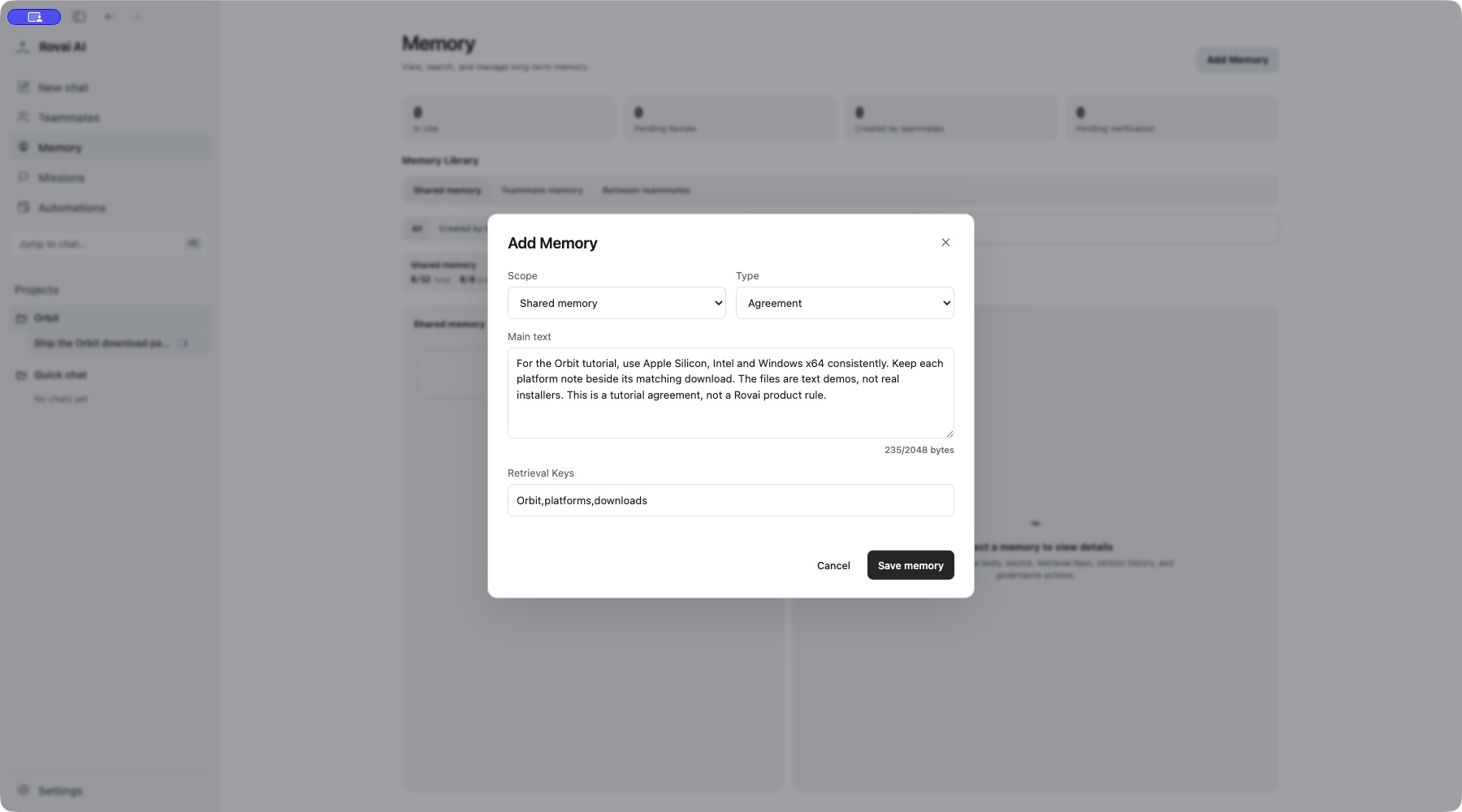
Saved content and source
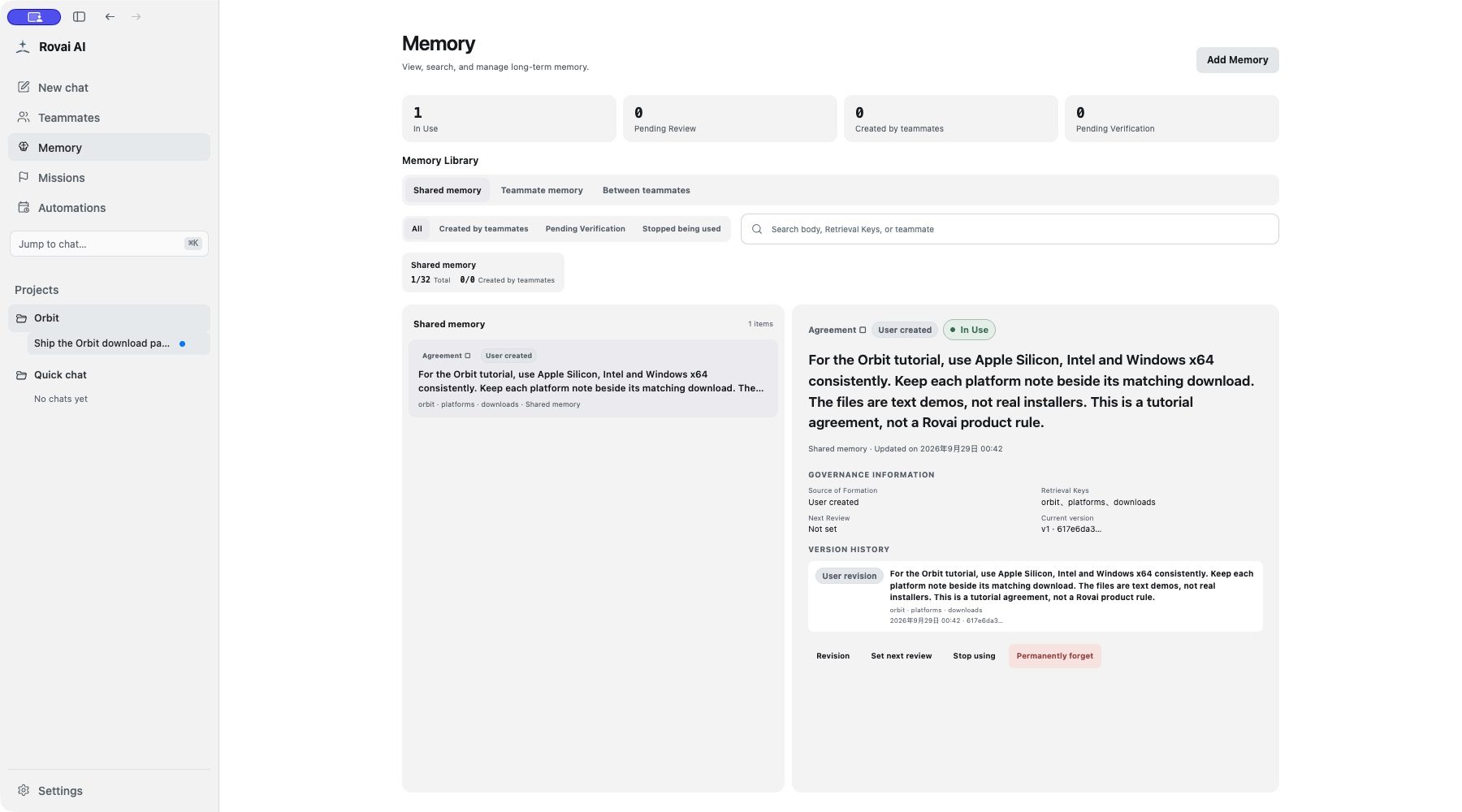
Candidates and review are another path
An Agent can propose a shared-memory addition or revision for user review. Pending candidates are separate from the active memory collection. Read the proposed body and source, then accept, edit and accept, or reject through the review UI.
Agents may directly maintain their own teammate memory and permitted directed relationship memory. Shared candidates and direct teammate writes therefore do not all follow the same approval path.
If the candidate is stale because its target or revision changed, read the latest state. Do not repeatedly accept an outdated proposal. An empty Pending Review list means there is nothing awaiting this review, not that every discussion was automatically checked.
Revise when the agreement changes
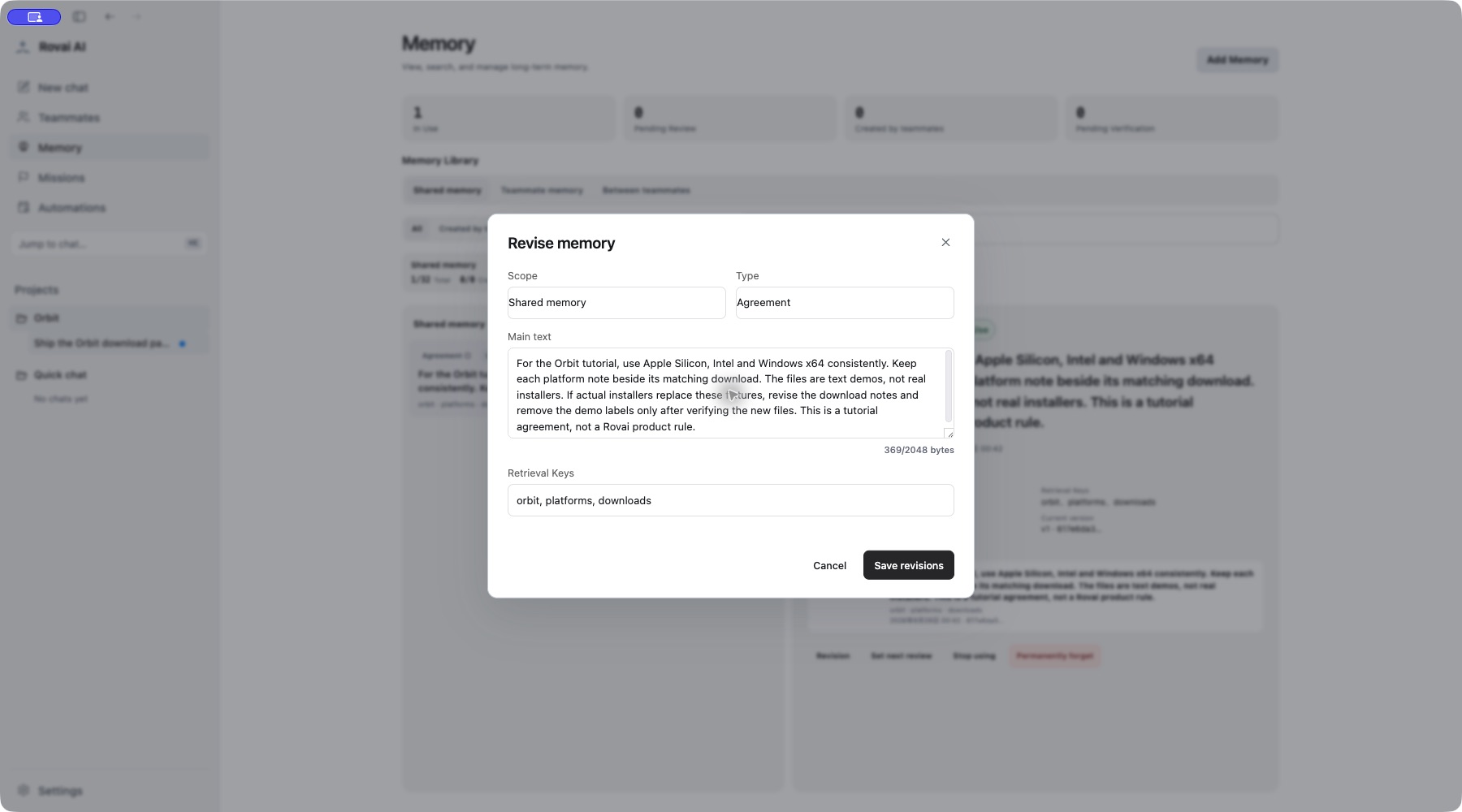
Continue, retire or replace
Use Revision to change the body and keys; save and inspect the resulting version history. For a change of identity such as scope or type, create the appropriate new entry rather than pretending a body edit changes the scope.
Stop using removes an outdated item from the active set while retaining its record. It does not erase copies already present in an accepted Run or undo a decision already made. Permanent forgetting is a separate destructive action; it is not needed to revise this tutorial agreement.
The product provides memory lookup and records observable access. Do not infer “the Agent read this memory” merely because its answer uses similar words, and do not expect every active memory to be loaded every turn.
Memory fields
- Scope
- Shared memory is available to the team; teammate memory belongs to one teammate; between-teammates memory records a relationship. Choose the smallest scope that still fits.
- Type
- Preferences capture recurring choices, Agreements record decisions, and Experiences preserve lessons from work.
- Main text
- Write the decision or lesson so it makes sense without reopening the original conversation. Avoid temporary status updates.
- Retrieval Keys
- Up to three terms help future retrieval; they do not replace the main text.
- Source and versions
- A saved item can show where it came from and how it changed. Review this before relying on an older entry.