Use a Task to retain a responsibility
“Review the Orbit platform links and report accessibility findings” is a useful Task when you need an owner and an outcome that survives several messages. A question that needs one short reply may not need a Task.
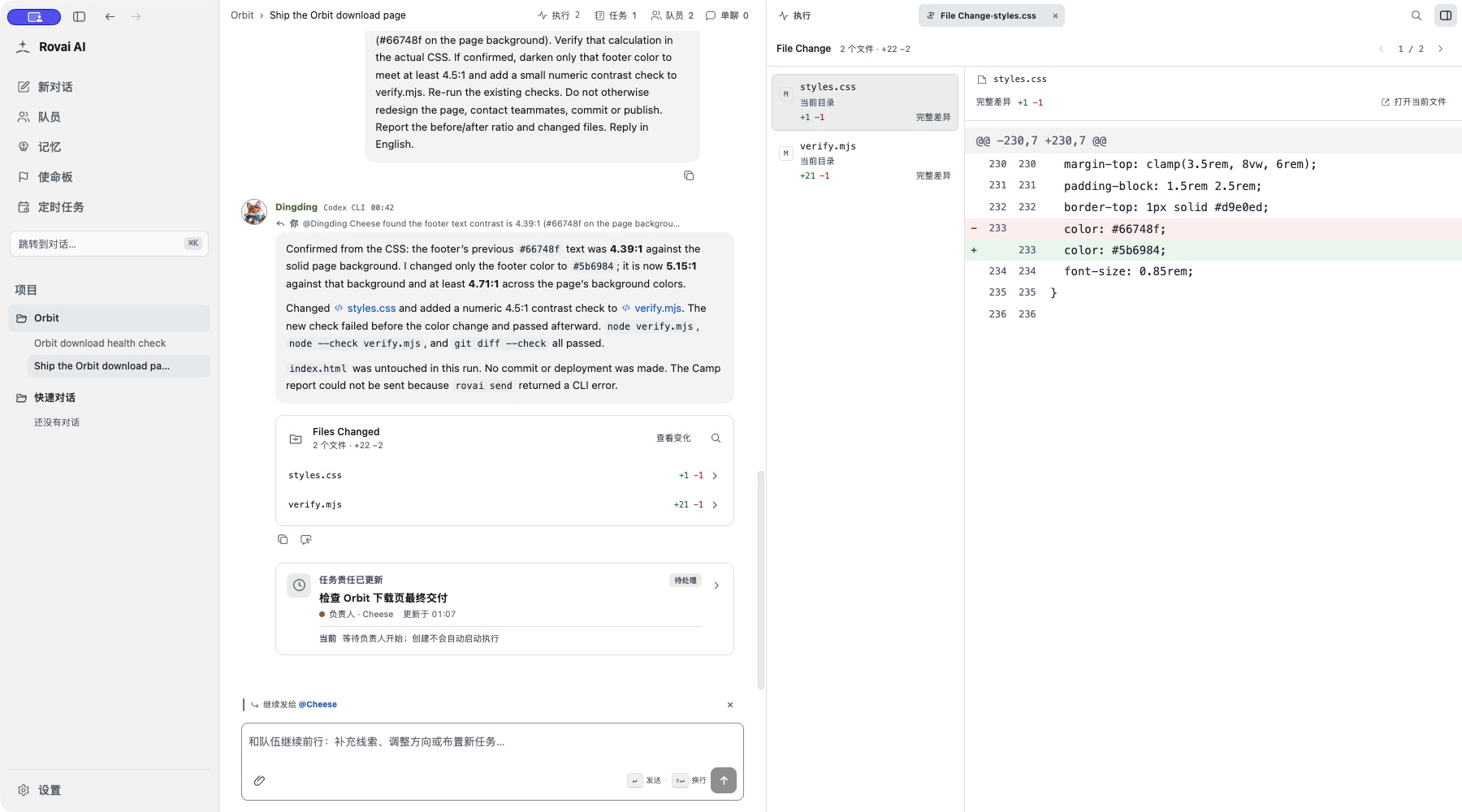
Create it from the current conversation’s Tasks view. Choose a present teammate and write the scope, requirements and expected result in the description. Creating or assigning it records responsibility; it does not send a work request. Address a message to the assignee to begin.
Record one owner and a bounded responsibility
Follow the responsibility through
- Pending / in progress
- Confirm that a work request was actually sent. Open the assignee’s Run for progress; Task status alone is not a live execution monitor.
- Blocked
- Read the blocked reason and supply the missing decision, access or input in the conversation. Update the responsibility when the scope changes.
- Completed
- Read the completion summary and compare it with the files and acceptance conditions. The Task can represent work spread over several Runs.
- Cancelled
- Closes this responsibility. It is separate from stopping an active Run and does not roll back file changes.
Who can update what
The user and current lead can create and manage non-terminal Tasks. An ordinary assignee updates their own execution status and the matching blocked or completion explanation. A different teammate is not automatically entitled to reassign the work.
Completed or cancelled Tasks are terminal records. Continue with a clearly scoped follow-up Task when new work appears, rather than rewriting the old outcome.
How to use it
- Open the conversation’s Task view to see current tasks and who owns them.
- Create a task with an outcome that can be checked, assign a teammate, and keep its scope smaller than a long-term mission.
- Open the task card or detail to review its current state and related execution.
Create a task
Give a task one checkable outcome and a responsible teammate. The task editor keeps responsibility distinct from the public message stream.
Task fields and states
- Title
- A concise result or deliverable, such as “Check platform links.”
- Responsibilities and requirements
- Explain the scope, constraints and what to check when finished. Keep source paths or acceptance criteria here when useful.
- Lead
- The teammate accountable for the task. Choose someone who is in the current conversation.
- Status
- Use Pending, In progress, Blocked, Complete or Cancelled to show what is happening. A status change records tracking; it does not prove code or files changed.
Task versus execution
- A task is the durable responsibility inside this conversation. One or more Agent runs may contribute to it.
- Cancelling a task does not automatically stop a run that is already active. If work must cease, open that exact run and stop it separately.
- Use the task detail to review progress, then inspect execution and files for the actual outcome.