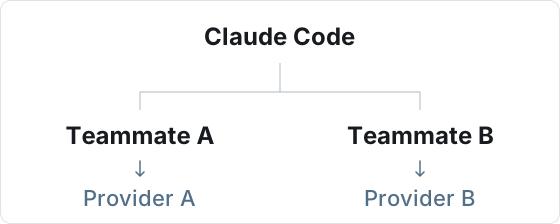
Each teammate runs Claude Code separately and reads their own environment variables at startup. A provider is a service or gateway that supplies the model API.
1. Prepare two teammates
In Teammates, create Teammate A and Teammate B. Open each teammate's run configuration, choose Claude Code for both, and select a model supported by their provider.
2. Set each teammate's environment variables
Expand Environment variables in each teammate's run configuration and paste the corresponding JSON. Replace the endpoint and key with the Claude Code connection details supplied by that provider, then save each configuration.
The .example URLs below are placeholders. Enter the raw key without a Bearer prefix.
Teammate A → Provider A
{
  "ANTHROPIC_BASE_URL": "https://provider-a.example",
  "ANTHROPIC_AUTH_TOKEN": "YOUR_PROVIDER_A_KEY"
}
Teammate B → Provider B
{
  "ANTHROPIC_BASE_URL": "https://provider-b.example",
  "ANTHROPIC_AUTH_TOKEN": "YOUR_PROVIDER_B_KEY"
}
ANTHROPIC_BASE_URL: the provider's Claude Code API base URL, including any path required by its setup instructions.ANTHROPIC_AUTH_TOKEN: the service key used by this teammate, sent as a Bearer token.
3. Verify both connections
- Add both configured teammates to a new conversation.
- Send each teammate a simple message, such as “Reply: connection successful. Do not use tools.” Confirm that both reply.
- Check the recent requests in Provider A's and Provider B's dashboards or service logs to confirm that each teammate used the intended service.
Once the connections are confirmed, both teammates can work in the same conversation. Each keeps their own configuration, so you do not need to keep switching the global provider.
A reply shows that a request succeeded. Use the service's request records to verify which provider handled it.
Common questions
When do changes take effect for a teammate that has already run?
Environment variables are read when a new Claude Code process starts. Saving does not switch the connection of an existing process, and the next message may reuse that process. After it exits or Rovai restarts, newly started processes use the current configuration.
Does this change other teammates or the local Claude Code configuration?
These settings store the current teammate's Claude Code environment variables on the current host. Rovai applies them when starting that teammate. It does not change other teammates' configuration or write these values back to Claude Code's global configuration file.
Can other agents use this approach?
Teammate environment variables are also available for other agents. Each CLI determines which variables it supports and how it selects providers and models. This example is for Claude Code; use the other agent's own variables when configuring it.